ads

Affichage des articles dont le libellé est pc and component. Afficher tous les articles

dimanche 29 janvier 2017

Microsoft Surface Studio AIO PC starting from $2999

Microsoft has launched an AIO (All in One PC) called the Microsoft Surface Studio. This AIO PC allows users to switch between studio mode and desktop mode. Users get an option to choose from Intel Core i5 or i7 processor. Price starts from $2,999 .


Microsoft Surface Studio AIO PC features and specifications

 As mentioned this Microsoft Surface Studio PC comes powered with 6th Gen Intel Core i7 or Intel Core i5 processor. It is running windows 10 out of the box with optional 8GB / 16GB / 32GB RAM and 1TB / 2TB rapid hybrid drive. Surface Studio AIO comes with 28 inch Multi-Touch PixelSense display supporting 4500 x 3000 pixels resolution – this is state of the art providing more pixels than 4K display. As far as GPU is concerned users can choose from NVIDIA GeForce GTX 965M GDDR5 with 2GB memory or NVIDIA GeForce GTX 980M GDDR5 with 4GB memory. A 5MP Windows Hello face camera is packed on the front, it can shoot 1920 x 1080p videos.
Other features of Microsoft Surface Studio are WiFi, built-in Xbox wireless, Bluetooth 4, SD card reader, Mini Display port, USB 3.0 x 4 ports, dual mic, stereo 2.1 speakers, audio jack (3.5mm), Dolby Audio Premium, Zero Gravity Hinge, 1Gigabit Ethernet Port, Surface Pen, Surface Keyboard and Surface Mouse.

 Microsoft Surface Studio Price 

 The Microsoft Surface Studio with Intel Core i5 with 8GB RAM and NVIDIA GeForce GTX 965M is priced at $2999, the one with Intel Core i7 with 16GB RAM and NVIDIA GeForce GTX 965M is priced at $3499 and the Intel Core i7 with 32GB RAM and NVIDIA GeForce GTX 980M is priced at $4199.

Asus Chromebook Flip C302CA announced price starts from $499

Asus announced 360 degree Chromebook Flip powered by Intel Core m3 / m7 processor. The Asus Chromebook Flip C302CA price starts from $499 (approx Rs. 34K) and the price goes up to $1000 depending on configuration (Intel Core m3 or m7 processor).

Asus Chromebook Flip C302CA comes in two options you can get it with Intel core m3 or Intel core m7 options with integrated GPU. This Chromebook sails on Chrome OS out of the box over a 12.5 inch back-lit touch screen supporting 1920 x 1080 pixels resolution. The screen comes with 360 degree hinge that can be rotated to use this like a laptop, inverted V shape, stand style and tablet mode.

Other features are front HD camera, WiFi, (2x) USB Type C port version 3.1, Bluetooth 4.2, stereo speakers and combo audio / mic jack. Asus Chromebook Flip C302CA comes with 39Wh battery that as per the company gives up to 10 hours of battery life on a single charge. Asus Chromebook Flip C302CA basic version starts from $499.

Asus R558UQ Notebook with 7th Gen Intel Processors

Asus has launched the Asus R558UQ notebook in India. This notebook will be available with Intel Core i7 and Intel core i5 processors, priced at Rs. 59,990 and Rs. 48,990 respectively. The specifications are almost the same for both the variants.

Asus R558UQ i7 and i5 Notebook features and specifications


This Asus notebook sports a 15.6 inch LED Back-Lit screen supporting 1920 x 1080 pixels resolution. The R558UQ is using NVIDIA GeForce 940MX GPU – users can either go with Intel i7 (2.7GHz) or Intel i5 (2.5GHz) processor. Max supported memory on i5 is 12GB and on i7 it’s 16GB, and by default the i7 model comes with 8GB RAM and i5 model with 4GB RAM.
Other features are 5 in 1 card reader, Web CAM on front, mic / audio combo jack, WiFi, Bluetooth, VGA port, HDMI port, 1x USB 2.0, 1x USB 3.0, USB Type C, RJ 45, 1TB SATA HDD and 8.9mm 8X super Multi with double Layer optical drive.The 38WHrs battery gives up to 4.5 hours of usage time on a full charge.

mardi 6 décembre 2016

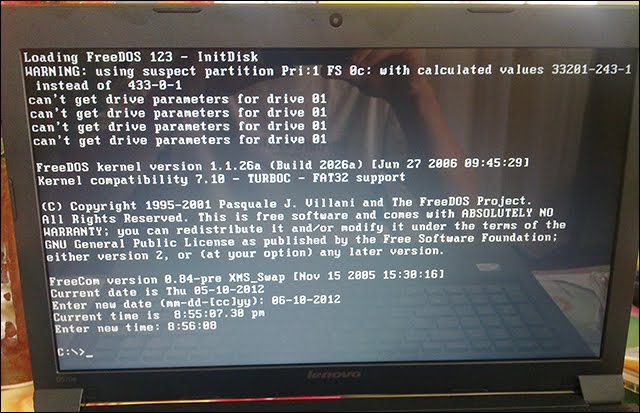
Should you buy a pc system Windows or Free DOS?

A laptop with free DOS means it comes without a PAID operating system pre-installed. So you're expected to either have a copy of operating system such as windows with you
Which means 2 things, it can come with DOS(disk operating system, purely command line) or any other free OS such as Ubuntu or any other Linux distribution like mint/lubuntu etc.

  1.  They are cheaper.                                                                                                     Compared to their Windows counterpart with the same hardware specifications, FreeDOS is cheaper and this is because FreeDOS is an open source project which means it is free which also means that the manufactures of the laptop won’t have to pay for license, unlikegenuine Windows OSwhich the manufacturers have to obtain their licenses from Microsoft.
  2. . You have more options.

    More options in the sense that you can choose which OS and the version you want such as windows 7, windows 8, windows 10, or even another OS entirely such as FreeBSD (which is also an open source project) should you want to overwrite the FreeDOS.


DISADVANTAGES OF FREEDOS


  • Installing genuine Windows might cost you a lot.

    As mentioned earlier, Windows laptops come pre-loaded with genuine windows OS which will cost you a lot if you want to purchase them.
    If you add up the cost of purchasing a genuine windows OS and the FreeDOS laptop, it will normally exceed the cost of the same laptop (with the same hardware specifications) that came pre-installed with windows.
    Alternatively, you can opt-in for retail copy of Windows OS (normally sold in DVD) which are cheaper by far but has its own disadvantages.
  • Not very useful

    You won’t be able to use most software on FreeDOS system which limits its usefulness. This disadvantage will most likely make you want to install windows OS which will take you back to the number one disadvantage..


CONCLUSION

If you are not overly concerned over the genuineness of your Windows OS, you may want to go for FreeDOS and then install Windows OS later with the retail copy of the Windows OS since the overall cost will be cheaper. Otherwise, I don’t see any other reason you shouldn’t you go for a windows laptop if you’re a Windows OS fan.


lundi 1 août 2016

HP EliteBook 1040 G3 review

If you're looking for a Windows laptop that mimics the style and performance of the MacBook Pro, the HP EliteBook 1040 G3 might be an excellent option for you. The EliteBook 1040 isn't the sexiest or lightest device on the market, but it features a solid aluminum and magnesium chassis that looks and feels like its Apple rival.


At around 3 pounds, the EliteBook 1040 isn't the lightest laptop you can buy, but when its internals and durability are taken into account, its bulk is a fair tradeoff that should warrant your consideration.
Starting at $1,199 (about £806, AU$1,690), the EliteBook features most of the performance hardware you'll need to tackle even the most rigorous tasks.


Specs

*Operating system:Windows 10 Pro 64
*Processor family:Intel® Core™ i7 processor
*Processor:Intel® Core™ i7-6600U with Intel HD Graphics 520 (2.6 GHz, up to 3.4 GHz with Intel Turbo Boost Technology, 4 MB cache, 2 cores)
*Chipset:Chipset is integrated with processor
*Memory:16 GB DDR4-2133 SDRAM (2 x 8 GB)
*Internal drive:256 GB SATA SED
*Display:14" diagonal QHD UWVA anti-glare LED-backlit (2560 x 1440)
14" diagonal QHD UWVA anti-glare LED-backlit (2560 x 1440)
*Graphics:Intel® HD Graphics 520

*Ports:2 USB 3.0 charging; 1 USB Type-C™ (charging); 1 docking connector; 1 HDMI; 1 AC power; 1 headphone/microphone combo
*Audio:Audio by Bang & Olufsen; Integrated dual-microphone array; 2 integrated stereo speakers

*Pointing device:Glass ClickPad (with chemically etched surface), taps and gestures enabled by default, two-finger scrolling, two finger zoom (pinch)
*Wireless:Intel 802.11a/b/g/n/ac (2x2) and Bluetooth® 4.2 Combo
*Power supply:45 W Smart AC adapter
*Battery:HP Long Life 6-cell, 45.6 Wh Li-ion polymer
*Dimensions (W X D X H) :13.27 x 9.23 x 0.62 in (non-touch); 13.27 x 9.23 x 0.65 in (touch)
*Integrated camera:720p HD webcam
*Keyboard:Spill-resistant backlit keyboard and drain
*Weight:Starting at 3.15 lb
*Security management :Security lock slot (lock must be purchased separately); TPM 1.2/2.0 (Infineon, soldered down); Integrated smart card reader (active); Fingerprint reader; Preboot Authentication (password, Smart Card)

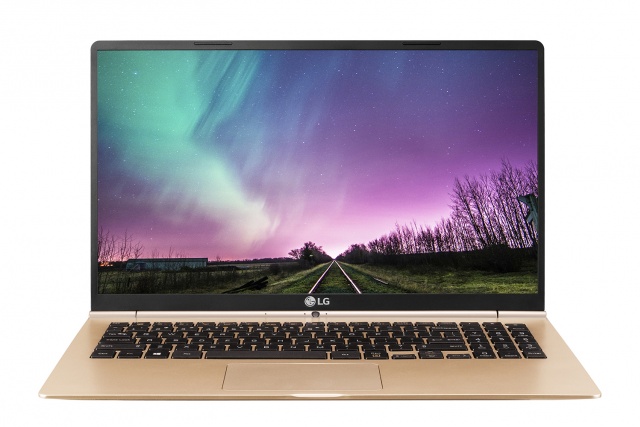
LG Gram 15 Review!

Think of a thin and light laptop. You're thinking of something like a MacBook Air, aren't you? Well, let this beauty of a notebook fill your mind now, because LG's redefining what thin and light computing devices look like with its gram line.

The LG gram 15 is a 15.6-inch laptop packing an FHD (1,920 x 1,080) IPS display and 6th generation Intel Core i5 processor inside a cool, sharp magnesium frame. It offers 256GB of solid-state storage, a number pad on the keyboard and some of the thinnest bezels I've seen on a 15-inch laptop.

Spec sheet


Audio quality is equally impressive with the stereo setup from DTS Sound and a Wolfson DAC. The LG Gram 15Z960 sports an Intel Core i7-5500U processor clocked at 2.4 GHz, 8 GB of DDR3L 1600MHz RAM, an Intel HD Graphics 5500 GPU and a 256 GB SSD for fast transfer speeds. Other features found on the laptop are dual-band WiFi, a card reader, Bluetooth 4.0, an HDMI out, two USB 3.0 ports,USB type C, and a 1.3 MP webcam. The LG Gram 15Z960 comes with a 2-cell lithium polymer battery rated at 4555 mAh for excellent battery life.

Intel HD Graphics 520: Integrated GPU (GT2) with 24 EUs found on some Skylake CPU models (15 W ULV series).

Modern games should be playable with these graphics cards at low settings and resolutions. Casual gamers may be happy with these cards.

» Further information can be found in our Comparison of Mobile Graphics Cards and the corresponding Benchmark List.


Intel Core i7: The Intel Core i7 for laptops is based on the LG1156 Core i5/i7 CPU for desktops. The base clock speed of the CPUs is relatively low, but because of a huge Turbo mode, the cores can dynamically overclock to up to 3.2 GHz (920XM). Therefore, the CPU can be as fast as high clocked dual-core CPUs (using single threaded applications) but still offer the advantage of 4 cores. Because of the large TDP of 45 W / 55 W, the CPU is only intended for large laptops.


6500U: Skylake-based ULV dual-core processor for thin notebooks and ultrabooks. Offers an integrated HD Graphics 520 GPU and is manufactured in 14 nm.» Further information can be found in our Comparison of Mobile Processsors.

15-16 inch is a standard display size for laptops and offers the biggest variety of products.

samedi 30 juillet 2016

HP Spectre[review]

If you’re looking for a machine that offers portability and power, HP has the answer for you. The new HP Spectre comes in at 10.4 millimeters thin, making it the world’s thinnest laptop, and packs powerful hardware like an Intel Core i7.

Ever since HP released the Spectre x360 the company has been clearly putting a greater emphasis on design and top-of-the-line materials. It's evident that this philosophy has come to all of HP's machines, from the thinning Envy line to even its budget Pavilion line, which are now painted with a tennis shoe-inspired design.

Now HP has released the Spectre, its most luxurious laptop yet, complete with gold bling and carbon fiber. The 13-inch Ultrabook also claims to be the world's thinnest notebook, while being the first laptop of this thinness (0.41 inches) to offer Intel Core i5 and i7 processors – a step up from the Intel Core M-powered MacBook.

While the HP Spectre is a looker, and substantial on the inside, it's not quite a home run for the storied PC maker.

Spec sheet

Processor:Intel Core i7-6500U 2.5 GHz (Intel Core i7)
Graphics: adapterIntel HD Graphics 520
Memory:8192 MB LPDDR3-1866SDRAM
Display:13.3 inch 16:9, 1920x1080 pixel 166 PPI, No, IPS UWVA, Corning Gorilla Glass, glossy: yes
Mainboard:Intel Skylake-U Premium PCH
Storage:Samsung PM951 NVMe MZVLV256, 256 GB
Connections:1 USB 3.0 / 3.1 Gen1, 2 USB 3.1 Gen2, 2 Thunderbolt, 2 DisplayPort,

 Audio Connections: 3.5 mm Headset


Networking:802.11 a/b/g/n/ac (a/b/g/n/ac), Bluetooth 4.2
Sizeheight: x width x depth (in mm): 10.4 x 325 x 229 ( = 0.41 x 12.8 x 9.02 in)
Battery:38 Wh Lithium-Ion, 4 cells
Operating: SystemMicrosoft Windows 10 Home 64 Bit
CameraWebcam: HP TrueVision HD-Camera
Additional features:
Speakers: 4x Bang & Olufsen, Keyboard: Chiclet, Keyboard Light: yes, USB Type-C to USB Type-A adapter, 24 Months Warranty
Weight:1.16 kg ( = 40.92 oz / 2.56 pounds), Power Supply: 330 g ( = 11.64 oz / 0.73 pounds)

vendredi 29 juillet 2016

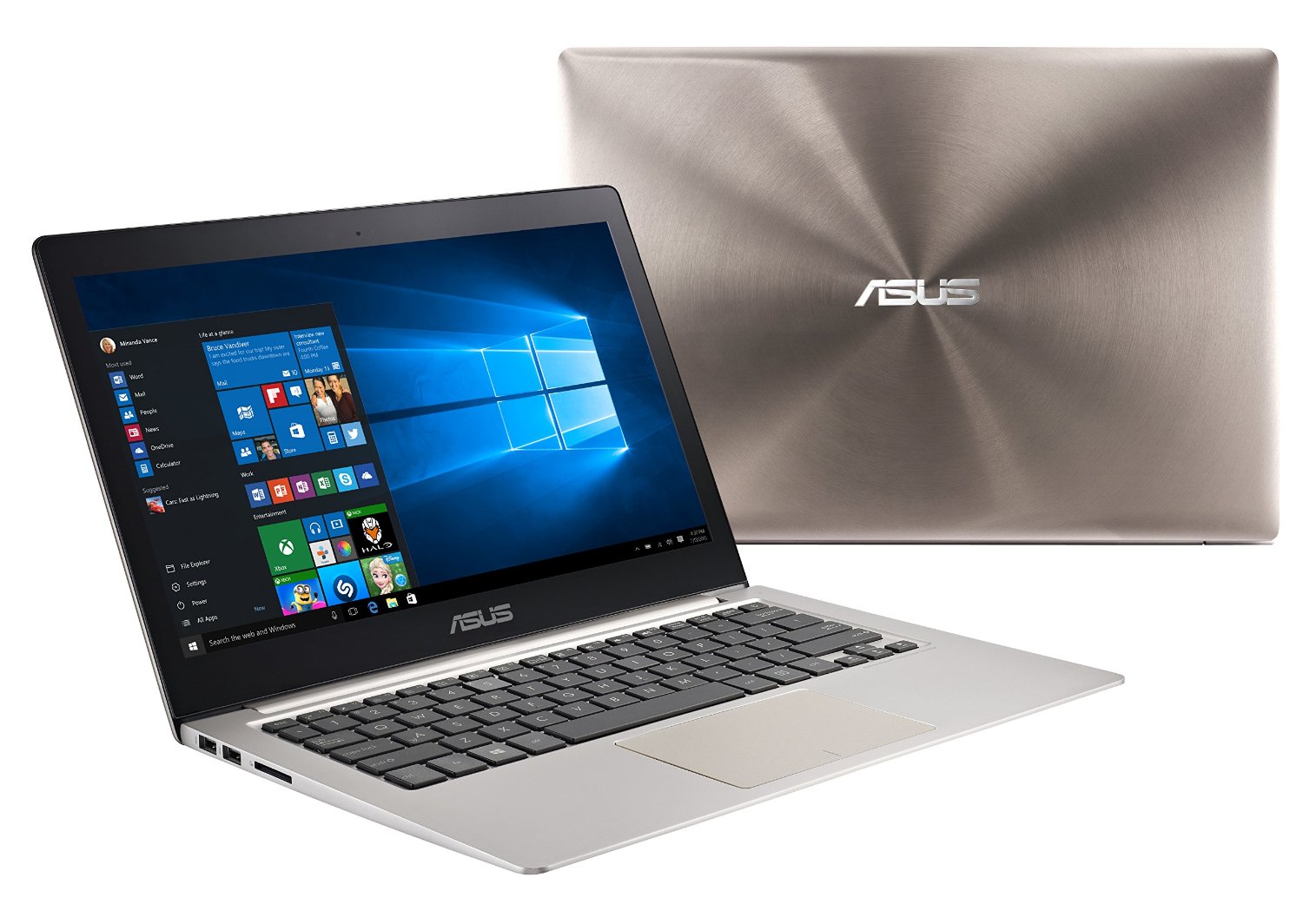
ASUS Zenbook UX306 Review

It was only a few months ago that we slapped a five-star rating on the Asus ZenBook UX305 and now the company is back with the Asus ZenBook UX306.

But how do you improve on near perfection? Well, the most immediately noticeable changes are the addition of a USB Type-C port and backlit keys, but you can expect beefier specs too, as under the hood you're looking at an Intel Core i5 6200U or Core i7 6500U processor and up to 16GB of RAM, which will hopefully be enough to address our concerns about the graphics capabilities of the UX305.

The ZenBook UX306 is launching with a choice of 256GB or 512GB of solid state storage and has a 13.3-inch anti-glare screen in either 1080 x 1920 or 3200 x 1800 resolution, which is largely in line with the UX305. Hopefully the stereo speakers will be an improvement though, as that machine suffered from rather tinny sound.

Familiar good looks


The stylish aluminum build looks largely similar and at 324 x 226 x 13.9mm and 1.19kg the dimensions and weight aren't much changed either.

Other features include a full USB 3.0 port (for all those accessories that aren't USB-C-ready), 802.11ac Wi-Fi and the promise of up to 12 hours of battery life, plus the company's IceCool technology built in, to prevent the palm rest heating up.

The big remaining questions are what it will cost and when you'll actually be able to buy it, but sadly Asus hasn't answered either of them yet. Hopefully it won't keep us waiting too long.

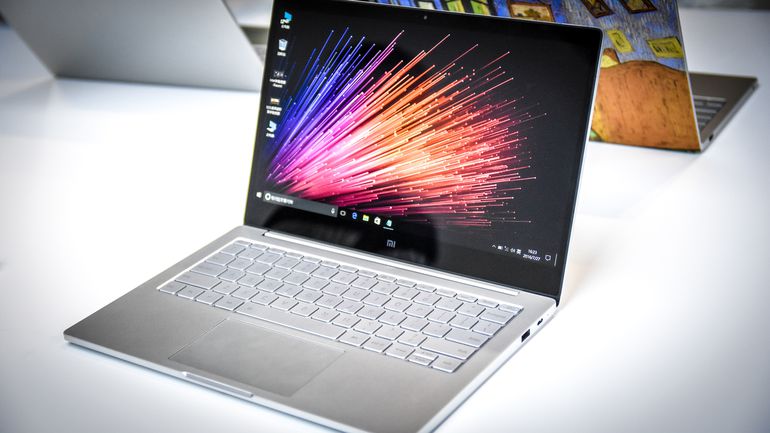
Xiaomi Mi Notebook Air[review]

Introducing Xiaomi Mi Notebook Air 13.3" & 12.5"
Xiaomi also unveiled the long-awaited MiNotebookAir! Thin, lightweight, full metal, yet surprising powerful.

Mi Notebook Air 13.3"
- Intel Core i5 processor, runs Windows 10 Home
- 8GB DDR4 RAM + 256GB PCIe SSD, expandable SSD slot
- NVIDIA GeForce 940MX dedicated graphics card
- 9.5-hour battery, 50% charge in 30min
- Lightweight full metal body, weighs just 1.28kg
- Elegant logoless design, personalize with stickers
- Supports Mi Cloud Sync and Mi Band unlocking
- Priced at RMB 4999 (Approx. USD 750)
Mi Notebook Air 12.5"
- Sized like a magazine, just 12.9mm thin
- Full metal body, only weighs 1.07kg
- Intel Core M3 processor, 11.5-hour battery
- 4GB RAM + 128GB SATA SSD, expandable SSD slot
- 1080p FHD screen, edge-to-edge protective glass
- AKG custom dual speakers, Dolby digital surround sound
- Priced at RMB 3499 (Approx. USD 525)


Xiaomi also announced a 12.5-inch version of the Mi Notebook Air that is slightly thinner and lighter at 12.9 mm and 1.07 kg (2.36 pounds). The 12.5-inch will lack discrete graphics, have only a 128GB SSD, 4GB RAM and use an Intel Core-M processor. That downgrading of specs comes with an upside, however -- a battery life of 11.5 hours, 2 hours longer than the 13.3-inch model.

If you're lusting for either one of these laptops, the bad news is that Xiaomi will only officially sell the Mi Notebook Air in China. They go on sale on August 2 and will retail for 4,999 yuan (this converts to about $750, £570 and AU$1,000) and 3,499 yuan (or about $525, £400 and AU$725) respectively.

mercredi 13 juillet 2016

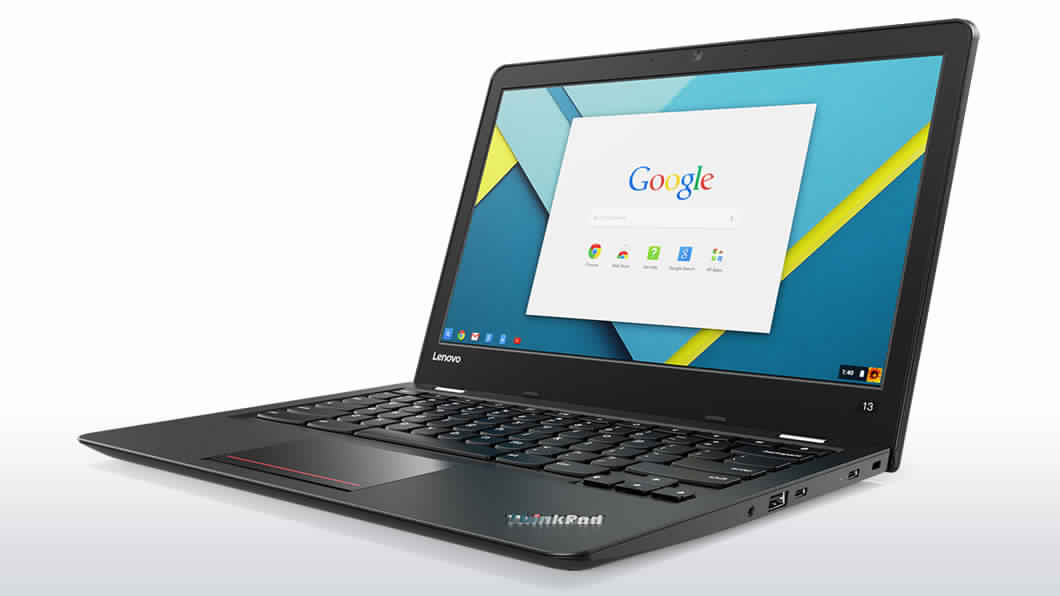
Lenovo ThinkPad 13 Chromebook is Out On Sale


Features:

Lenovo is famous for building ready to use, convenient, and collaborative laptops. Out on sale now is its Chrome version- ThinkPad 13- built with solid design with professionals, students, and educators in mind. The new Chromebook claims to have passed 12 Military Specification tests for durability, thus making it a worthy buy for classroom use.
Models of ThinkPad 13 Chromebook:
  1. ThinkPad 13 with Intel Celeron processor (4 GB RAM and 16 GB storage)
  2. ThinkPad 13 with Intel Core i3 processor
  3. ThinkPad 13 with Core i5 chipset
  • Equipped with Intel® 6th Gen Core™ processors which is powerful enough to boost your productivity to a whole new level
  • Ultra-portable thin design, making it easy to carry around. Dimensions start at 3.2 lbs (1.4 kg) and just 0.78” (19.8 mm) thin
  • 10 hours of battery life
  • Standard keyboard
  • Memory of Up to 8 GB LPDDR3, 1600 MHz
  • You can choose from 16GB/32GB storage option
  • Equipped with USB 3.0 and two USB Type-C ports for fast connectivity to peripherals. It also features smaller and a reversible connector
  • An option to configure your Chromebook with an FHD anti-glare display with In-Plane Switching (IPS)
  • Low-light sensitive 720p HD webcam with wide-angle viewing and face-tracking
  • Comes standard with TPM encryption for additional security
  • In-built microphones with dual noise-cancelling feature. Suits private and conference mode VoIP meetings
  • Equipped with Wi-Fi Intel® Stone Peak2 7265 AC/B/G/N and Bluetooth® 4.0
The base model is available on the Lenovo’s official website for a discounted price of just $386. If you are a Lenovo enthusiast, this Chromebook version will be a good one to go for.

HP Chromebook 11 G5 is Officially Out For Sale

A few days after the leaked email from HP on their latest addition to the Chromebook series, HP Chromebook 11 G5 is finally for sale in the market. And this time, it’s official. Most important specifications of the Chromebook are given below for a quick look.


  • Intel® Celeron® Braswell Processor which promises easy and cheap mobile productivity
  • Intel® HD Graphics 400
  • Touch or non-touch options
  • 4 GB of RAM and a flash drive to 32GB
  • Choice to opt for 11.6″ diagonal HD IPS Touch display or 11.6″ diagonal HD Anti-glare Non-Touch display
  • Compact design
  • Upto 12 hours of battery life
  • Complimentary Google Drive to store up to 100 GB of your data. This two year promotion also lets you access your own virtual hard drive online
  • 1 year limited warranty and 3-year, 4-year and 5-year extended service available
  • Intel® Dual Band Wireless-AC 7265 802.11a/b/g/n/ac (2×2) WiFi and Bluetooth® 4.2 Combo
  • 1.1418 kg (2.51 lbs) for Non-Touch Chromebook and  1.878 kg (2.61 lbs) for Touch
  • HD Audio with Dual speaker options
  • HD2 web camera with Dual array digital microphone with appropriate software
  • Full size textured island-style keyboard
  • Optional UltraSlim Kensington Security Lock which is sold separately
  • Two USB 3.1 Gen 1 ports that support support USB boost
  • One Headphone/Microphone combo jack
  • Supports micro-SD/SDHC/SDXC up to UHS-104
HP Chromebook 11 G5 is available for a starting price of about $193 (for 2GB RAM) and higher for the other five models listed. The high end model costs you around $314 which gives you 4GB RAM and 32GB SSD.
Just like its predecessor, this new education edition from HP seems to be a good deal for teachers and students who look for an effortless good performing Chromebook with a decent design and good storage capacity.
The rates and shipping details of HP Chromebook 11 G5 are yet to be published on the HP website, however, it is available for sale at CDW and shows a waiting time of 9 to 12 days.  For more information on HP Chromebook 11 G5, please click on the HP official document.

Asus EeeBook X205TA / X205 review – the modern $199 laptop

Summary: The Asus EeeBook X205TA (X205) sure offers plenty for the $199 you'll have to pay for it and is a thin and light laptop suitable for kids, for travel and all of you looking for a small device that runs Windows and the compatible software. It's not without flaws and Asus did have to cut some corners here and there, but that was expected from a device that sells for this little.
The good
sleek and light, decent keyboard, can handle daily tasks and multimedia activities, lasts for a long while on a charge, very affordable
The bad
miniaturized ports, erratic touchpad, limited on-board storage space

Hi everyone, Mike here and in this video we’re going to talk about the Asus EeeBook X205TA / X205, which is a brand new compact laptop selling for only $199 (actually, it’s even cheaper now than initially announced).
There are a few other notebooks that go for around the same amount of money these days, like the 11 inch Acer Chromebooks. But this one comes with Windows 8.1 and that allows it to run most of the software you’re already familiar with from your other computers.
Well, at least to some extent, as the X205 is not a power-horse, not by far. But we’ll get to that in a few second.
First though, check out the specs sheet, so you’ll know what to expect from this laptop, and also the video review, if you don’t feel like reading the block of text
The X205TA is not yet available in stores at the time of this post, but the unit I’ve tested is pretty much identical to what you’ll be able to buy in a few weeks.

Asus EeeBook X205TA spec sheet
Screen11.6 inch, 1366 x 768 px, TN
HardwareIntel Atom BayTrail-T Z3745D CPU and Intel HD graphics
Memory2 GB RAM
Storage32 GB flash-storage
Connectivity
Wireless N, Bluetooth
Ports2x USB, micro-HDMI, microSD card reader, proprietary PSU, headphone jack
Battery38 Wh
OSWindows 8.1
Size288 mm or 11.3 in (L) x 196 mm or 7.7 in (W) x 18 mm or 0.70 in (H)
Weight954 g (2.10 lbs)
Othersstereo speakers, available in several colors, webcam

Hardware and daily use

The EeeBook X205TA is primarily meant for light everyday activities. It can then handle browsing between a couple of different tabs, watching video content and listening to music, editing some texts and maybe some pictures as well. It can run Microsoft’s Office suite (does come with a Trial version of Office that requires activation and the final release versions will include a 12 month Office 365 Personal license) and software like Adobe Photoshop if you want to, just make sure you’re not going to ask too much out of it, as it will choke easily if pushed.
And that’s because this EeeBook is built on an low-power high-efficiency hardware platform, with an Intel Z3745D processor, bundled with 2 GB of RAM and 32 GB of storage, which can actually become a problem quite fast. Both the RAM and eMMC storage are soldered and NOT upgradeable.
The thing is you’re not left with a lot of spare space after having Windows installed (roughly 14 GB), so Asus definitely had to cut a corner here to meet the low price tag. And that leaves you with two options: either use the included cloud space offered for free in Asus’s WebStorage environment, or expand the storage space with the help of a microSD card.
To be frank, I was a bit disappointed this laptop does not support standard sized SD cards, that would have been useful for downloading pictures from my cameras while on the go, but that’s probably not such a big deal for most potential buyers.
Overall though, the X205 is a fairly capable little fellow and it can do a lot of things for you.
The daily experience is enhanced by the loud and punchy speakers placed on the belly, but towards the front of the chassis and by the fact that this runs completely noiseless, since it houses no fans and no moving parts inside.
The Wi-Fi chip is fairly capable of well. It can’t match my Internet speed, going to only about 30 Mbps near the router, but at least the speed and signal strength don’t drop away fast as you step a bit further. I was able to stream 1080p video content with no buffering and download all sorts of things of the Internet without feeling slow, and in my book that’s good enough for a computer that only sells for $199.
The laptop’s belly has no cooling cuts in it, and none are in fact needed, which leads to a simple and beautiful design. You can take it apart by unscrewing the 12 or so regular Philips screws that hold in place and that gives you access to the internals.
I was hoping to be able to upgrade the storage, but there seem to be no dedicated storage stick like on some of the other mini-laptops I’ve tested, so there’s no way to up the 32 GBs through a hardware upgrade. At least none that I can tell of, and that’s a bit annoying, as the 32 GB of space is hardly sufficient for a Windows 8.1 laptop. You could try to go the Linux road. I planed to try Ubuntu or Mint on this myself, but my Linux knowledge is virtually null and I did not have the time to do it this time. Hopefully in the next few weeks.
One final thing I was looking to mention here are temperatures and performance under load. The X205’s case remains cool under light use and the temperatures won’t reach for the stars when running the Prime95+Furmark stress-test either. You can see the numbers in the pictures below.

Keyboard and trackpad

The typing experience is not bad on the X205 and is helped by a fairly good keyboard and a nice typing position, thanks to the roomy palm-rest and the laptop’s low profile.
The keys are firm and offer decent travel and feedback, for this size range of course, but they do feel a bit cheap to touch, plasticky. And besides these, the layout is vertically cramped, as Asus opted for shorter rectangular keys and not the square keys I was expecting, and the arrow keys are small, just like on the older Asus EeeBooks launched a few years ago.
The shorter keys do leave room for the spacious palm-rest mentioned before and an oversized trackpad, which I do appreciate. In everyday use though, the latter proved occasionally erratic and moody, although it worked alright most of the time. But sometimes ti double clicks all by itself or sends the cursor flying to the edges, and these mostly happen when you put the computer under a heavier loud than it can handle.
Even so, this is one of the few aspects where the X205 needs extra tweaking. Luckily, the jumpy cursor is usually a software problem and could, at least in theory, be addressed by future drivers updates. We should hold our judgement for further reviews, just keep the potential issues in mind.

Samsung and Acer Chromebooks go head to head

Samsung and Acer were the first two companies to announce that they intend to release laptops running Google’s browser based OS and they kept their word, with both laptops being available on Amazon.

As reviews for these computers are still missing, imagine our joy when we found this lengthy Vs video from Chromestory, putting the Acer Chromebook near the Samsung Series 5, trying to make sense of the major differences.
At a first glance, the two look pretty similar, with the Samsung having slightly more rounded edges, while the Acer can be used as a four edged blade if that situation occurs. Moving on the to the internals, you should know that the Acer comes with an Intel Atom N570, dual core processor and 2 GB of RAM, which is a decent setup for a 11.6 renamed netbook, which should run an OS tweaked enough to make this type of resources more than enough.
There’s also a 16 GB SSD, which should be enough to keep vital stuff on, while most of your data will be stored online. The 11.6 inch has an impressive 1366 x 768 resolution, which is a rare treat on a sub 13 inch machine. A less fortunate detail is that the Acer has a glossy display, which makes it less of a variant for outdoor use. This is a downside, considering that the Chromebook is meant for the highly mobile generation, and such a limitation will prove a little frustrating.
Spot the differences
The Acer Chromebook comes with 2 USB 2.0 ports and a HDMI port, which lets you connect the machine to a big screen TV. But maybe the best characteristics of this machine are that you can access the RAM, SSD slots and that the battery is user replaceable. Samsung doesn’t offer this option, thus upgrading is not an option- unless you want to unscrew an entire panel.
The thested Acer unit has only WiFi, while a 3G version will probably come around September. As for pricing, the Acer is slightly cheaper than the Samsung, but we have to keep in mind that later has a larger screen, namely a 12.1 inch one.
All the other hardware specs, including processor, storage and RAM, are identical. Tough choice indeed.
Stay tuned for the hands on video, which deals more with the Acer than the Samsung- hopefully the Series 5 will get a similar chance from chromebookuser.com. Enjoy.

mardi 12 juillet 2016

Asus G501VW-FY081T Notebook Review

Compact gamer. The thin gaming notebook from Asus can convince with good features as well as measurements. The lack of an Ethernet port is unusual for a gaming notebook, but the device has a Thunderbolt 3 port instead.
The Asus G501VW-FY081T is a 15.6-inch notebook from the Republic of Gamer series. Considering the performance, the device is comparatively thin and light. We already reviewed two Haswell models of the G501. Our current review unit is equipped with a Skylake processor, which is the biggest difference to the Haswell models. The case is identical, but the Skylake model got an additional Thunderbolt 3 port. Rivals for the G501VW are notebooks like the Acer Aspire VN7-592G, the Dell Inspiron 15 7000 or the MSI GE62. You can also consider any other device from our Top 10 Lightweight Gaming ranking as a competitor.

Asus G501VW-FY081T


Processor

Intel Core i7-6700HQ 2.6 GHz (Intel Core i7)

Graphics adapter

NVIDIA GeForce GTX 960M - 4096 MB, Core: 1097-1176 MHz, Memory: 1253 MHz, GDDR5, 128-bit interface, ForceWare 364.51 (10.18.13.6451), Optimus

Memory
8192 MB 
, DDR4-2133, Single-Channel, one slot (free), 8 GB soldered
Display
15.6 inch 16:9, 1920x1080 pixel 141 PPI, Samsung 156HL01-104, IPS, glossy: no
Mainboard
Intel HM170 (Skylake PCH-H)
Storage
Samsung CM871 MZNLF128HCHP, 128 GB 
, + HGST HTS541010A7E360 (1 TB, 5400 rpm), 1031 GB free
Weight
2.06 kg ( = 72.66 oz / 4.54 pounds), Power Supply: 565 g ( = 19.93 oz / 1.25 pounds)
Price
1349 Euro

Case

Asus uses a black and comparatively thin metal chassis with an appealing design for the G501VW. Some red elements create a visual contrast. Asus uses a matte surface for the base unit, while the lid has a brushed finish. Both components are very susceptible for fingerprints. The battery is integrated and there is no maintenance hatch. You have to remove the whole bottom cover to access the internal components. This is not a big deal, but more on that later.
There is no criticism for the build quality. The device is well-built and the stability is also good. You can slightly warp the case at the usual spots (next to the keyboard on both sides, below the touchpad). The base unit could be a bit more torsion-resistant, even more so for the lid. There are at least no picture distortions when we apply pressure on the back of the screen. The hinges keep the display well in position and it is possible to open the lid with one hand.
Keyboard and touchpad

Keyboard. The keyboard is pretty nice, with good key spacing, good travel depth and feedback, but the typing is a little stiff to my taste. Overall, a nice keyboard, though. No real complaints.
Touchpad. Average. A little shaky and buttons clicking isn’t the smoothest experience. Saying that, it’s pretty smooth and feels ok on the finger.

Sound & Speakers

Average, maybe Average+. The Asus G501VW comes with 2.0 speaker system, located on the bottom’s left and right. They have some strength, with relatively good mids, but that’s more or less all. The lows are missing and highs are messy, I think.


Heat

The G501VW chassis temperatures gets hot mostly around the areas near to the hinges and the palm rests (mostly the right palm rest). The bottom gets hotter, also around the center of the keyboard. The G501VW performs not exceptionally good or bad for such a laptop, but other laptops with such a hardware but larger frame have better chassis temps, like the Lenovo Y700 and Acer VN7-592G.

Throttling

Under Prime95 + Furmark, the G501VW’s GPU core throttles down to around 0.4GHZ for long periods, while CPU maintain higher clocks. That’s not a very smart behavior for gaming as you’d want higher GPU clocks and a bit lower CPU clocks. However, under Crysis 3 stess levels, the GPU clocks remain very high. I didn’t test Ashes of Singularity clocks, but FPSs are relatively high, meaning throttling isn’t that high.

Conclusion

Let’s wrap it up. The G501VW offers low weight and slimmer frame, with good gaming performance for the price, good IPS display and the Thunderbolt 3 USB-C port which is not common for $800-$1000 gaming/multimedia laptops currently. It does uses a PWM brightness control noticeably and thermals and CPU/GPU clocks algorithm isn’t the best, resulting in GPU throttling under Furmark + Prime95 load (but it’s better in games).
As said before, I got it for $800 New from Newegg, I think. For $800-$900, that’s a good price for those who look for a slimmer, more lightweight laptop, and especially, such a laptop with a thunderbolt 3 port. I’d say that for such a price, that’s a good option indeed. However, it is selling for $1000 currently, and for those who’re looking for higher performance for the price or for those who want such performance for lower price, that’s not such a good option (Dell 7559, Lenovo Y700, others).
Compared to the Acer VN7-592G, which also has an I7 and a Thunderbolt 3 USB-C port (and PWM), the G501VW is a little more lightweight and has a better IPS display, but PWM slickering is more noticeable and chassis gets hotter with more GPU throttling.
Bottom line, for $800-$850 and even $900, that’s a good option. Just remember that for $900, you get a 5400RPM HDD. Otherwise, with current pricing in mind (of around $1000), I’d consider laptops like the 7559 for $750-$800 and even the Y700/VN7-592G, if it’s just for gaming and you don’t care about the extra 300-500 grams


jeudi 7 juillet 2016

Best graphics card deals today


The graphics card is an essential component and when a new, demanding game comes out it can almost become an essential upgrade. But with so many options around why not let us help find you the best graphics card deals right now?

It’s the part of your rig responsible for pumping out pixels and if you’re not getting the smooth frame rates you deserve in Dark Souls III or Hitman, then it’s time to look for a new GPU. New GPUs from AMD and Nvidia are now available, which that means older stock is getting cleared out.

Our guide to the best graphics card will tell you all you need to know about which video card is best for your needs but if you're after the absolute best graphics card deals around right now we’ve got you covered with our regularly updated deals page.

Looking for the best graphics card deals in the UK? Come this way...
Some highlights this week: Both AMD and Nvidia are busy launching new cards: the RX 480, GTX 1070, and GTX 1080 are now all technically available, though pricing and supply are still problematic. The new hardware has pushed prices on existing hardware down, making for some potentially good deals, and performance on older cards isn't suddenly worse just because something newer and faster exists. Let's go through the list and see if we can find any of the new cards in stock, as well as find out how low prices are getting on previous generation hardware.
We're going to break things into Nvidia and AMD cards, sorted in order of decreasing performance within each. Here's the full rundown on currently available cards.

Nvidia graphics card deals

GeForce GTX 1080 | 8GB GDDR5X | $700
If you think finding the GTX 1070 below is difficult, the GTX 1080 is even more so. NCIXUS' Founders Edition was $700, but is now out of stock. Amazon had a couple earlier this week, but is out of stock again. Newegg is completely sold out, though they had inventory last week. Just keep checking.


GeForce GTX 1070 | 8GB GDDR5 | $450
You want a GTX 1070? Sure you do, and so does everyone else. It's the best graphics card overall, in our view, delivering awesome performance at a price that doesn't quite break the bank...or at least, it wouldn't if supply were better. While the baseline official MSRP is $380, the best price we can find right now is $450 for a founder's edition at Newegg.


GeForce GTX 980 Ti | 6GB GDDR5 | $420AR
Oh, how the mighty have fallen! Just last month the GTX 980 Ti was going for close to $600, and now it's down to $420 at Newegg. Considering it's only slightly slower than a GTX 1070, plus some good overclocking potential, it's still worth a look. Don't forget that it uses 250W compared to the 150W on the 1070, though!


GeForce GTX 980 | 4GB GDDR5 | $300AR
Inventory for the old GTX 980 is likely going to dry up in the near future, so if you're thinking about picking up a second card for SLI, now might be a good time to act. Or just sell your current card and try to pick up a 1070. Newegg is leading the charge on low prices for most video cards right now, with an MSI GTX 980 going for under $300 after rebate (or $330 without the rebate). Not bad for what used to be a $550 GPU.


GeForce GTX 970 | 4GB(ish) GDDR5 | $270
The GTX 970 was recently our favorite overall graphics card, and it remains a good card that's readily available. There was one for $200 last week, but sadly it looks like they're back up above $250 now. We'd like to see prices closer to $200 (RX 480 territory) before we looked to buy a card that's being phased out.


GeForce GTX 960 | 2GB GDDR5 | $135AR
Like many other last-gen cards, the GTX 960 is now at the lowest price we've ever seen, going for $135 after rebate at Newegg. The 4GB version is up at $200 at the moment, and at this point you should probably just shoot for an RX 480.


GeForce GTX 950 | 2GB GDDR5 | $114AR
Rounding out our list of Nvidia cards, the GTX 950 has several models going for $114 to $120 after rebate. Considering some models use less than 75W and don't need a 6-pin adapter, they're a great upgrade for budget PCs. If you want to overclock, though, get a card with a 6-pin connector.

AMD graphics card deals

Radeon R9 Fury X | 4GB HBM | $460
Honestly, with the cost of HBM and the liquid cooling, we're surprised to see a Fury X going for less than $500, let alone $460. Most cards are still priced well above $500, so if you want a Fury X, this is currently as good as it gets. Not as good as a 1070, but at least it's in stock.


Radeon R9 Nano | 4GB HBM | $460
We've talked about the cost of HBM and it's silicon interposer, and how it could easily push the manufacturing cost of AMD's Fiji into the $400+ range. Perhaps that's why all the best deals on Fiji cards are in the same ~$450 ballpark. Anything less and they're probably losing money (or at least not making any). If you want a compact card that's still fast, though, the Nano may be worth a look.


Radeon RX 480 | 8GB GDDR5 | Out of Stock / $240?
Looking for AMD's new hotness, the RX 480? Yeah, so are we. The cards were in stock, briefly, at launch, and a few places might have price gouging models listed, but everyone is basically out of stock. Check Newegg or below to see if more have arrived.


Radeon R9 390X| 8GB GDDR5 | $340
The R9 390X trades blows with the GTX 980, albeit at much higher power requirements. It's also faster than the RX 480 in virtually all games, so if you've got a soft spot for Hawaii, $340 is the lowest price we can find right now.


Radeon R9 390X| 8GB GDDR5 | $260
Drop about 10% from the performance of the 390X while saving $50? We'll take it! Power draw is a lot higher than the new RX 480, but performance is also better in our testing. But you should probably just wait for the RX 480 to become widely available, or for prices to get closer to $200.


Radeon R9 380 | 2GB GDDR5 | $155
Normally we'd suggest going for the 4GB model of the R9 380, but with the 2GB card shaving $20 off the price, it's arguably the better value for a budget card. Or maybe you disagree, in which case the 380 4GB is $180AR. Either way, it's still a better deal than the 380X, though the upcoming RX 470 will likely supplant it in the next month or so.

Radeon R7 370 | 2GB GDDR5 | $115AR
The least expensive AMD card we're even willing to consider is the R7 370, and you're much better off moving up to the R9 380 if you can swing the additional $40. 1792 stream processors vs. 1024, and 256-bit memory vs. 128-bit? Yeah, it's no contest.


Apple Mac Mini (2014) review:

There re only two ways to get a computer running OS X, but without a permanently attached display. One is Apple's most-expensive computer, the $2,999-and-up Mac Pro , the other is its least-expensive, the $499 Mac Mini. Other than those two bookends, Macs are all eitherMacBook laptops with clamshell designs, or all-in-one iMacs, with large screens on pivoting arms.
To get access to the features of OS X for same price as a standard iPad, you'll need to bring your own display, keyboard and mouse or trackpad. If you already have some or all of those, great; if not, the total cost can add up quickly, especially if you stick to Apple-branded accessories.
There are many Windows PCs that cost around the same, but nearly all are budget-minded, low-power plastic boxes that lack anything close to a premium feel. The entry level Mac Mini, while not especially powerful, has a unibody aluminum design and works about as well as a MacBook Air laptop (the components are very similar), which is one of our favorite computers.
But, underneath the matte aluminum chassis, there are a few areas where the current iteration of the Mac Mini may not work for you. The processor in the $499 model (£399 in the UK and AU$619 in Australia) is a dual-core, low-voltage fourth-generation Intel Core i5. Two more-expensive base configurations include faster Core i5 CPUs, with a dual-core Core i7 as a extra-cost add-on on top of that. But if you go back to the last major Mac Mini update from 2012, you'll find quad-core Core i7 chips, a more powerful option now missing.

The late 2014 update adds dual Thunderbolt ports and faster 802.11ac Wi-Fi (as found on the rest of the current Mac line), but the RAM, which was previously user-accessible, is now permanently soldered to the motherboard. In other words: no more post-purchase upgrades. Instead, you need to plan your upgrades at the time of purchase. And they're not cheap: a simple jump from the base 4GB to 8GB is an extra $100, and adding a 1TB Fusion drive (with both SSD and HDD hardware) costs $250 over the slower 5400rpm 500GB hard drive in the least-expensive configuration.
After a few fallow years, interest in small desktop PCs is ramping up, and the Mac Mini faces some interesting competition from Windows devices such as the Alienware Alpha and the HP Pavilion Mini , which can both be figured to cost around the same, although each has its own trade-offs. And that doesn't even include more affordable budget options like ChromebooHP Stream 11 , all of which can be had for about $200. ks, "Chromebox" mini desktops and even full-fledged Windows laptops like the 
Apple enthusiasts hoping for a radically updated, future-proofed Mac Mini will be disappointed that the small steps forward in some areas are offset by what may be seen as backwards moves in others (especially for DIY upgraders). But for casual consumers looking for a basic desktop or a TV-connected multimedia PC, it's hard to imagine a more comprehensive, self-contained computer, especially one running OS X, for the price.